Has anyone had the issue of suffering a huge volume drop when updating the ML10X to the 1.2.0 firmware? Everything was working fine but I was curious about bypassing some loops in Advanced mode so I updated my device to the latest firmware. Unfortunately, after the update the output volume of my ML10X became very low, basically unusable. I ran the firmware updater again to install the older 1.1.2 and luckily the volume drop was gone again. I’m wondering what could cause this on my device, when I was on 1.2.0 I checked the settings in the beta editor but I didn’t see anything that struck me as unusual.
Also after the update (and later after reverting to 1.1.2) I still had all my presets, although the Short names of my loops had disappeared. Not sure if that should happen, I didn’t think much of it and just re-entered those, luckily the full names were still there.
Which version of the ML10X do you have? There are two versions as some different parts were required for continued production. The original and early versions use firmware A and post parts change use firmware B. It might be worth checking the right version was installed.
After updating, you’ll need to reset your connector names again as we added some new parameters for each connector. We’ll update the firmware instructions.
Is this in simple or advanced mode? If advanced mode, each loop now has the option to be bypassed (including the input and output connectors) so it is possible that one of these are bypassed.
Just verify that the nodes are GREEN (RED = bypassed)
It’s happening with all my presets, it doesn’t matter if they’re in simple or advanced mode. Also all nodes are green, including Input and Output.
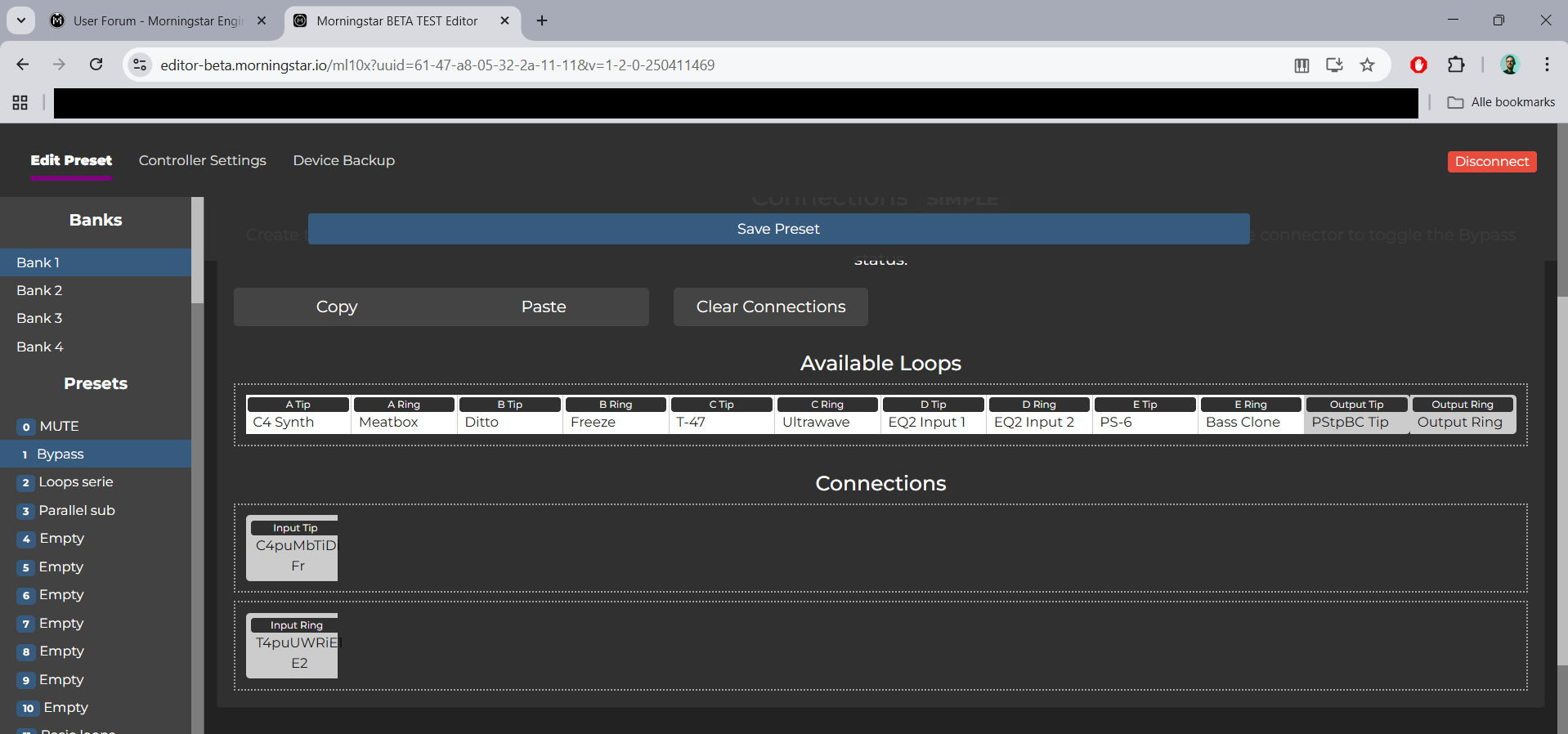
However, I just noticed that for all the presets with simple mode the Output Tip went missing in the connections in the editor. But when I try to add it and save the preset it doesn’t appear to save the preset with the Output Tip added. I tried restarting it and it seemed for that one preset that it worked, but when I changed to another preset and came back to this one the sound was gone again (actually not gone, but I have to crank up the volume to an extent that the noise floor is almost as loud as my sound). However, when I tried to recreate it by saving the preset and restarting again it didn’t work anymore even though the Output Tip did show up in the preset initially.
You’re comment might have put me on a small trail, because I just installed the 1.1.2. firmware again and noticed the in and output symbols were missing from the screen of the ML10X when I was one 1.2.0. I think something is not going well with the in and/or output connections, but strangely for all presets I checked at least the input was there, and for all the presets with Advanced mode I also saw the output.
is it possible you do a backup while in your v1.1.2 firmware and share with me the file? I’ll upload it then update my firmware so I can see what’s the issue. Will want to verify this before we release the firmware
Sure thing. I just made a backup but realized I also made one when initially updating to 1.2.0. I’ll add both, even though they should be the same. Curious to hear if you find something!
Sorry for the late reply, took a while to find time to dive into it again.
Yes, the issue is there in all of the presets including my Bypass preset.
I made sure to use the 1.2 editor, it just doesn’t seem to save the changes I make to the preset. On the LCD screen it indeed appears that the in- and output nodes are bypassed, but whatever I do in the editor doesn’t seem to make a change.
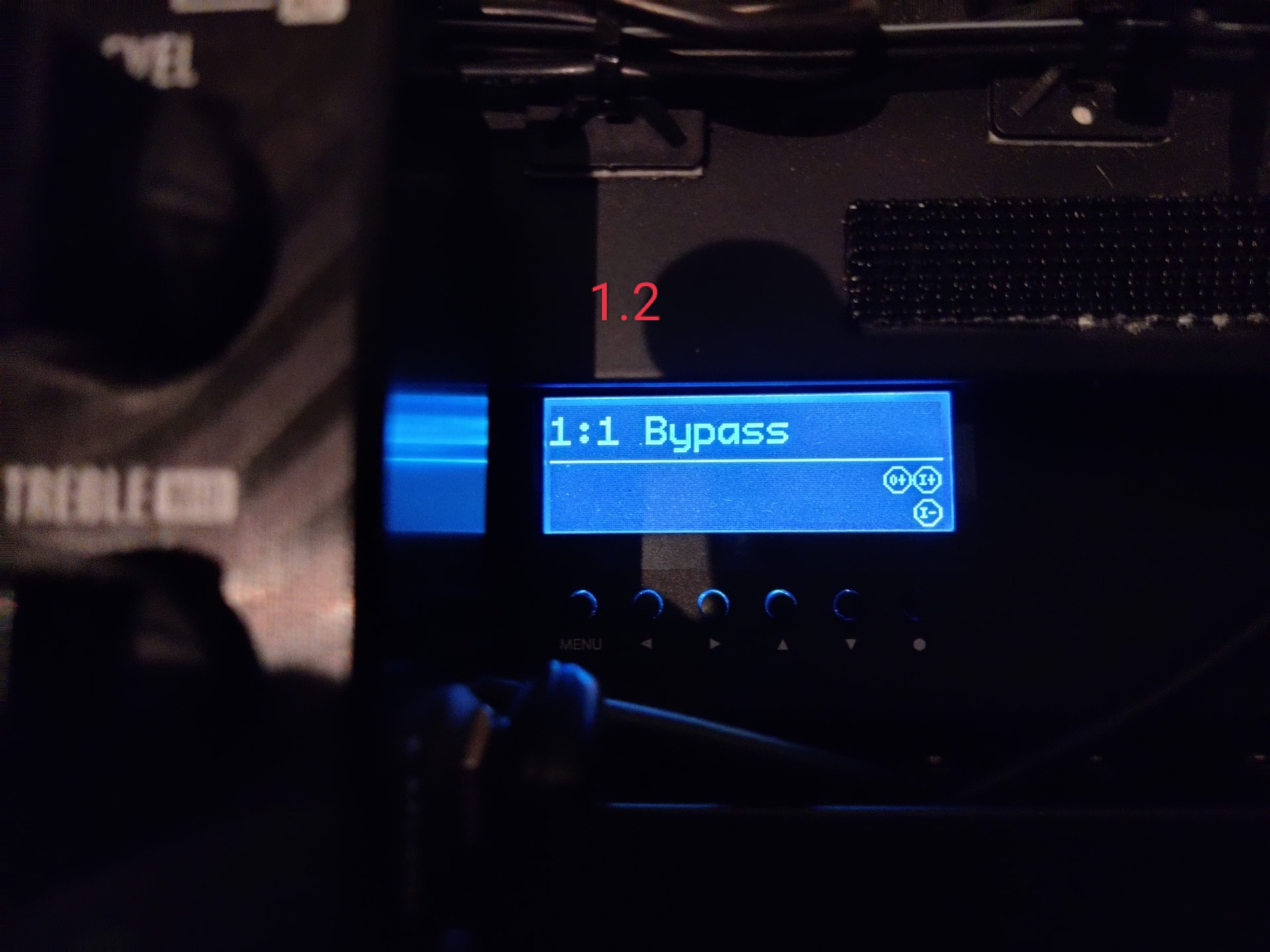
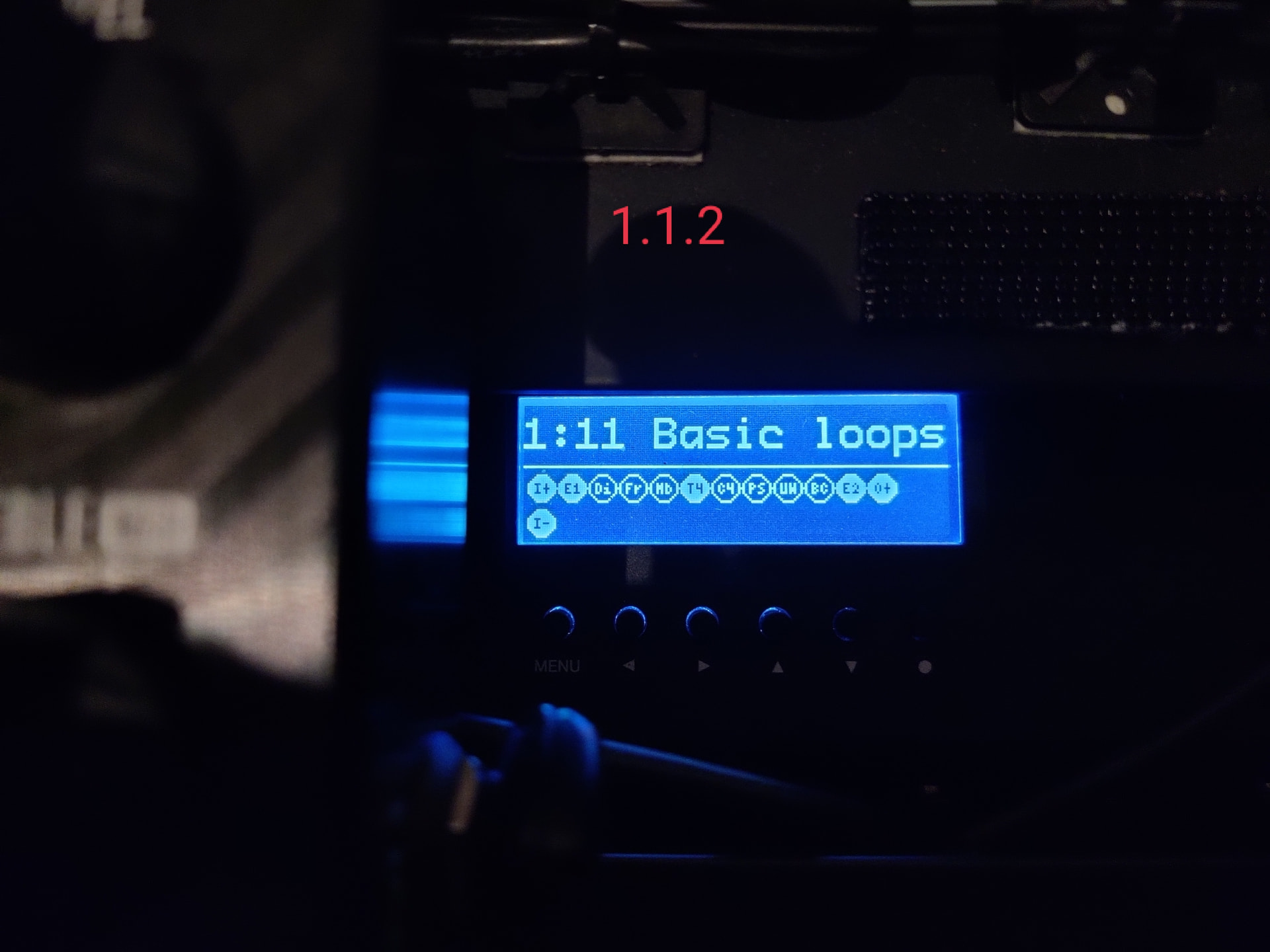
I thought the input and output symbols were missing from the LCD screen, but it turns out they are oriented from the right to the left after I update to 1.2. It was just that I have my ML10X on the underside of the board with the screen facing up, which also means that the screen is mostly covered by one of my pedals and I usually only see the most left part of the screen.. I can’t really find examples of the ML10X screen online with the 1.2 firmware, but the flipped orientation does seem odd to me.
I’ll add some pictures of how it looks on the screen and in the editor. I just noticed the screenshots are from the Beta editor, I just checked and it behaves the same in the regular 1.2 editor.
Regarding the display orientation, it is a new setting on the ML10X menu. Just press Menu >> Enter global settings >> Set Loop Display Orientation and it will allow you to select from left to right or right to left.
Regarding the audio issue, it looks like the Input and Output nodes on the ML10X are bypassed in Simple Mode, which should not be possible (it can only be bypassed in Advanced mode) unless:
You send a CC#40 message to bypass the Input Tip
You have Loop Bypass Persist turned on, and then your Input/Output is bypassed in one of the advanced preset
Can you confirm if the loops get bypassed without anything connected to the MIDI Input on the ML10X, and that the Loop Bypass Persist setting is turned off?
Interesting about the orientation. Still it might be odd that it changes when I upgrade the firmware?
Anyway, we’re getting somewhere. Apparently Loop Bypass Persist was enabled, I disabled that now. Also, I didn’t try it before, but if I go through the presets on my ML10X using the editor there’s no sound issues. Which would mean my MC6 Pro is communicating something which causes the in and/or outputs to be disabled. And indeed, I use the Set loops message a lot and it now looks that I have to check the Input and Output Tip whenever I send this message to the ML10X. Before I would just set the loop(s) that I would be using, but now I also have to select the in and output tip. Is this correct? I have to say, it’s not something I look forward to change for all the presets on the MC6 Pro but I think it also might not be very foolproof; personally I just want to select which loops to engage and not think about the in and output.
Yeah basically, what is happening is that it is a new setting, so we are using one of the uninitialised bytes in the memory, and the value of this byte corresponds to the Right-To-Left setting. We will fix this !
Ok this makes sense now! Maybe we will need to add a controller setting like “Allow input/output to be bypassed” or something. Will look into it.